

Gaming Accessibility Explainer
Gaming accessibility is the practice of designing games so people with a wide range of sensory, motor, cognitive, speech, and communication abilities can play. It is not one special mode and it is not limited to permanent disability. Temporary injury, fatigue, aging, noisy environments, small screens, and unfamiliarity can create similar barriers. Accessible design begins by identifying what information and actions the game requires, then providing flexible ways to perceive, understand, and perform them.
Visual access can include scalable text, strong contrast, color-independent cues, screen narration, interface magnification, and controls for motion or flashes. Audio access includes accurate captions, speaker identification, directional indicators, and visual equivalents for important sounds. Motor access can involve remapping, alternative controllers, reduced simultaneous input, hold-versus-toggle choices, sensitivity controls, and adjustable timing. Cognitive support can include clear objectives, consistent icons, tutorials, maps, difficulty options, and the ability to pause or review information.
Options work best when players can find and understand them before encountering a barrier. Plain descriptions should explain the effect rather than rely on jargon. Sensible defaults, preview examples, and the ability to change settings without losing progress reduce experimentation costs. Presets can help, but individual controls remain valuable because two people with the same diagnosis may need different combinations. Accessibility and challenge are not opposites: a setting can change input or presentation while leaving tactical decisions intact.
Inclusive testing brings disabled players into development early enough to influence design. Automated checks can find missing labels or contrast problems, but lived experience reveals how features interact during real play. Teams should test menus, tutorials, cinematics, online communication, failure recovery, and updates, not only the central gameplay loop. Platform guidelines provide useful baselines, while every game still needs analysis of its unique mechanics and information. No game removes every barrier, and accessibility claims should be specific rather than absolute. Feature lists help players decide whether a title will work for them, especially when supported by clear documentation and remappable demonstrations. Improvements often benefit a broad audience: captions support play in shared rooms, remapping supports preferred setups, and readable cues improve learning. The central measure is whether a player can obtain essential information, make intended choices, and act with reasonable independence. A practical way to read or discuss Gaming Accessibility is to begin with the basic definition and then identify the choices made in a particular example. Gaming accessibility addresses barriers involving vision, hearing, motor action, cognition, speech, communication, and combinations of these. Next, ask who sets the relevant rules, who performs the work, and which results follow from creative judgment, law, contracts, technology, budget, or production limits. Similar-looking examples can operate differently because their audience, market, format, timing, and agreements are different. Settings need clear descriptions, discoverable placement, safe previews, and the freedom to change them during play. It also helps to distinguish a formal industry category from an informal critical label or one organization's current practice. That separation keeps a memorable anecdote from becoming a false universal rule. Dates and territories matter: tools, distribution systems, audience behavior, and standard agreements change, while older examples can preserve assumptions that no longer apply everywhere. When a claim sounds absolute, compare it with a second kind of source and look for the conditions under which the claim is true. Then trace the process from the visible result back through the less visible decisions, handoffs, and quality checks that produced it. Specific feature documentation is more useful than declaring a game universally accessible or treating one preset as sufficient. Finally, compare the example with a contrasting case and note which part of the definition still holds. This method keeps the explanation grounded, highlights the people and systems behind the outcome, and leaves room for reasonable disagreement about hybrid or borderline cases.
Gaming accessibility addresses barriers involving vision, hearing, motor action, cognition, speech, communication, and combinations of these.
Multiple channels for essential information prevent color, sound, vibration, or text from becoming the only usable cue.
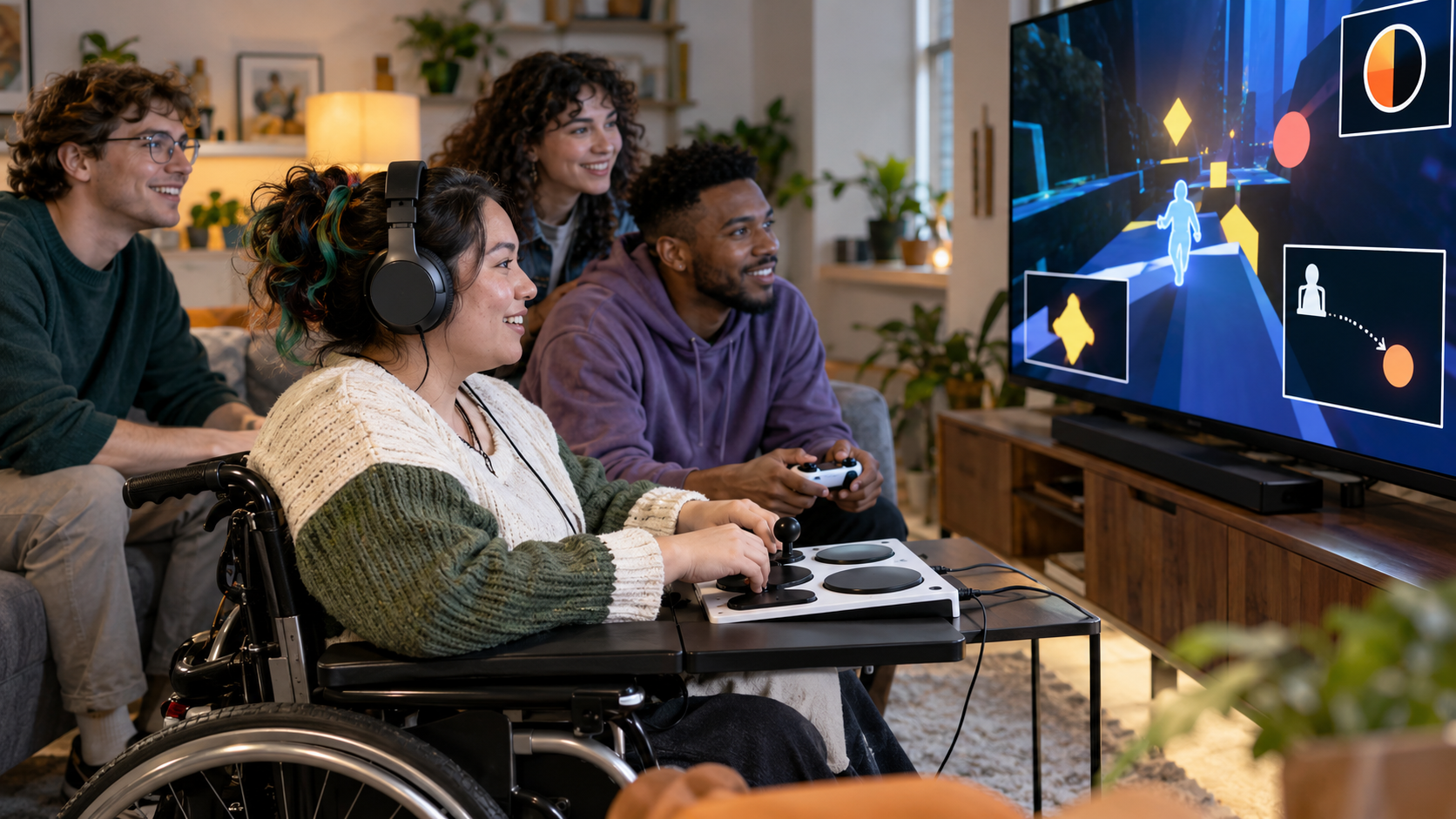
Remapping, alternative input, timing options, sensitivity controls, and adaptive hardware expand ways to perform actions.
Settings need clear descriptions, discoverable placement, safe previews, and the freedom to change them during play.
Disabled players should participate in testing early, because feature checklists cannot predict every interaction in context.
Specific feature documentation is more useful than declaring a game universally accessible or treating one preset as sufficient.
Explore more "Explainers"
Discover additional explainers across politics, science, business, technology, and other fields. Each explainer breaks down a complex idea into clear, everyday language—helping you better understand how major concepts, systems, and debates shape the world around us.