

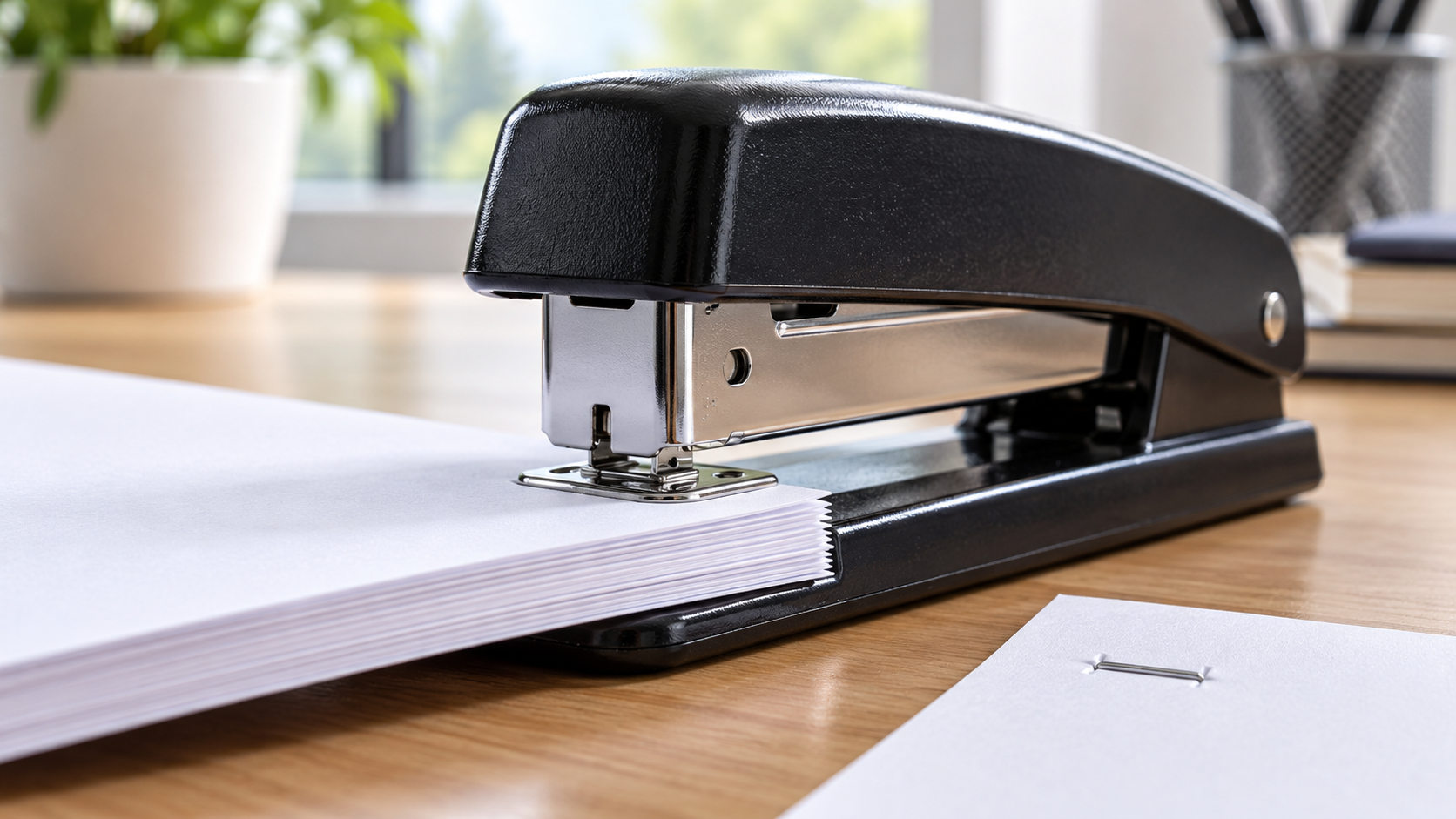
Desktop Stapler Mechanism Explainer
A desktop stapler stores a strip of preformed wire staples in a metal magazine. A spring-loaded follower pushes the strip toward the nose. Pressing the top lever moves a thin driver blade downward onto the crown of the first staple. The blade separates that staple from the adhesive holding the strip together and forces its two legs through the paper stack. Beneath the pages, the legs meet shaped grooves in a hardened metal plate called the anvil.
The anvil’s curves redirect the downward-moving legs. In the common permanent setting, each leg enters a groove that bends it inward toward the other and then upward against the underside of the paper. This folded shape is called a clinch. It resists withdrawal because the wire must straighten or tear through a larger area. Some staplers have a reversible anvil whose alternate grooves bend the legs outward for temporary pinning, which is easier to remove but less secure.
The upper handle provides mechanical advantage. A user pushes over a relatively long lever arm, while the driver moves a short distance near the pivot. Part of the force compresses return springs and part deforms wire and paper. After the hand releases, springs lift the driver and handle, and the magazine follower advances the next staple. Reduced-effort models add compound levers or stored spring energy so the driver receives a stronger impulse from a smaller hand force.
Staple length must match the paper thickness and mechanism. Legs that are too short cannot penetrate and clinch; legs that are too long may overlap, curl incorrectly, or create sharp projections. Every stapler also has a sheet capacity based on wire, geometry, leverage, and anvil clearance. Forcing a thick stack can buckle the staple inside the nose. Keeping the paper square and fully inserted helps the legs meet the anvil grooves symmetrically.
A jam commonly begins when a staple twists, two feed together, or the driver does not return. Power-assisted units should be disconnected before service, and fingers stay out of the discharge path. On a manual stapler, the magazine is opened only as the instructions show and the bent staple removed with an appropriate tool. Striking the stapler, loading the wrong staple series, or repeatedly firing without paper can damage the driver or anvil alignment.
The fastener appears simple because the machine performs the forming step during use. The staple begins as a U-shaped piece with straight legs; the driver supplies penetration force, and the anvil becomes the die that curls those legs into a lock. Paper contributes friction and compression between crown and clinch. Reliable stapling therefore depends on a complete path: one staple must feed, remain square, pass through the stack, reach the correct grooves, and bend without the wire or paper failing.
A driver blade pushes one staple through the paper, and curved grooves in the anvil bend its legs into a clinch. Key terms include magazine, follower, staple crown, legs, driver, anvil, clinch, lever, and sheet capacity.
The anvil is a forming die. Its grooves redirect the staple legs inward or outward as they emerge from the paper.
Wrong staples, excessive paper, a misaligned stack, double feeding, or a driver that does not return can buckle wire inside the nose.
Explore more "Explainers"
Discover additional explainers across politics, science, business, technology, and other fields. Each explainer breaks down a complex idea into clear, everyday language—helping you better understand how major concepts, systems, and debates shape the world around us.